
cPanel Starter
For your first website or blog.
- 3 GB NVMe Disk (1 GB = 1024 MB)
- 1 Website
- 100 GB Monthly Traffic
- 5 Email Accounts (up to 1024 MB each)
- 3 Databases
- 5 Subdomains
- 1 FTP Account
- cPanel • Amsterdam
CPANEL WEB HOSTING
Publish your business website or blog. Choose a plan for your website count and storage needs, then manage files, email and databases in cPanel.
Explore Plans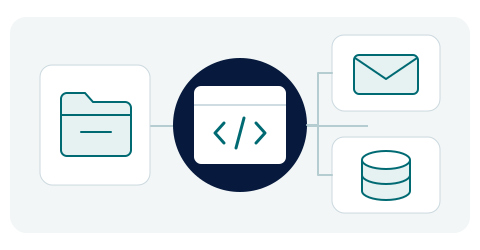
For your first website or blog.
Manage several websites together.
For more websites and files.
Prices are the total for the selected billing period; VAT is added at checkout. Domain registration is charged separately.
WHAT IS IN THE PANEL?
See what the tools in your account do, from installation to file management.
cPanel
Manage files, email accounts and databases from the same panel.
Softaculous
Use the installer for WordPress and other supported applications. You remain responsible for content, themes and plugins.
LiteSpeed + LSCache
Adjust cache settings on LSCache-compatible websites. Application-specific settings and content optimisation are assessed separately.
Imunify360
Review malware scan results and Proactive Defense status in your panel, alongside your website and plugin updates.
JetBackup 5
Use the backups and supported file-restore options shown in your panel. Available dates and contents depend on the copies present.
CloudLinux
Monitor account usage and configured limits in the panel. These limits are not a guarantee of dedicated physical CPU or memory.
BEFORE YOU CHOOSE
Websites, databases and email share the plan’s storage. Consider the website, traffic and account limits shown on the cards together.
These plans are for people managing their own websites. Content editing and theme or plugin maintenance are not included as a managed service.
Check the copies available for your account in JetBackup. Before restoring, confirm that the required file and date are present. Keep your own up-to-date copy as well.
Tell us about the website, its current panel and approximate data size in a support request. Work, fees and timing are agreed before migration begins.
Monthly and yearly options show the total charge for that term; the yearly price is not a monthly equivalent. Ask about renewal pricing and terms before ordering. For an existing service, check the renewal amount in your client area.
Read the service termsCHOOSING A WORDPRESS SERVICE
You can install and manage WordPress on a cPanel plan; website content, themes and plugin updates remain your responsibility. Managed WordPress assesses hosting and maintenance separately. Clarify the work, backup coverage and support scope before choosing the service.
Not accepting new orders at present.
Explore the WordPress service and toolsSoftware names belong to their owners and identify the tools offered; they do not imply partnership or certification.